








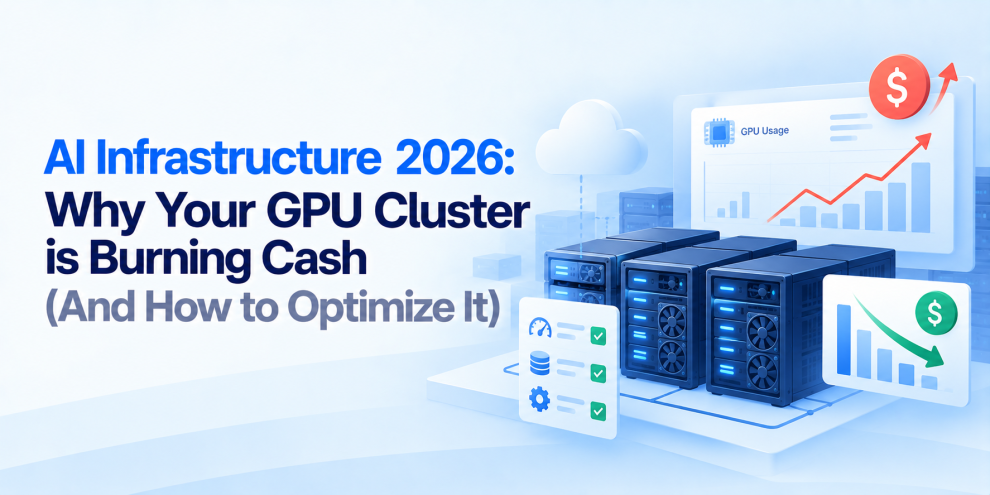

AI infrastructure has become one of the most expensive parts of modern engineering. GPU clusters that once looked like strategic investments can quickly become expensive pools of idle capacity, oversized instances, inefficient workloads, and underutilized accelerators.
The problem is rarely just the price of GPUs. The real cost comes from how those GPUs are provisioned, scheduled, utilized, monitored, and scaled. A cluster can have expensive accelerators running around the clock while actual GPU utilization remains low. Development environments may reserve capacity they rarely use. Training jobs may occupy resources while waiting on storage or network operations. Inference workloads may run on hardware that is significantly larger than necessary.
For DevOps and platform engineering teams, the challenge in 2026 is no longer simply building GPU infrastructure. It is building GPU infrastructure that knows when to scale, where to run workloads, how much capacity to reserve, and when expensive compute should be released.
The GPU Is Not the Whole Cost
GPU infrastructure costs extend far beyond the accelerator itself. A production AI platform may include GPU instances, CPU nodes, high-performance storage, networking, load balancers, container orchestration, observability, data transfer, model storage, and supporting services.
The GPU can therefore become the most visible line item while other infrastructure inefficiencies quietly increase the total bill.
Consider a training workload running on a powerful GPU instance. If the workload spends significant time waiting for data from storage, the organization is still paying for the GPU while receiving little useful computation. The same problem appears in inference. A model may require only a fraction of the available accelerator capacity, but the workload remains attached to an expensive instance because the infrastructure was provisioned around peak demand.
GPU optimization therefore starts with a broader question: How much useful AI work is the infrastructure producing for every dollar spent?
GPU Utilization Is Not the Same as GPU Allocation
One of the easiest mistakes is measuring whether a GPU has been allocated rather than whether it is actually being used effectively.
A Kubernetes workload can request a GPU and remain scheduled on that GPU even when its workload is waiting on data, CPU processing, network operations, or application-level queues. This creates an important distinction between allocated capacity and productive utilization.
DevOps teams should monitor GPU utilization, GPU memory utilization, memory bandwidth, power consumption, workload queue time, job duration, CPU utilization, storage throughput, and network throughput.
A cluster showing high GPU allocation but low actual utilization is often a sign that scheduling, workload design, or resource provisioning needs attention.
Stop Provisioning for the Worst Case
Traditional infrastructure often uses peak capacity as the provisioning baseline. That approach becomes extremely expensive with GPUs.
If an organization expects occasional demand spikes and provisions enough GPUs to handle maximum possible demand at all times, much of that capacity may sit idle during normal periods.
Autoscaling can help, but GPU workloads require more careful scaling strategies than conventional stateless applications. GPU nodes can take time to provision, container images can be large, models can consume substantial storage, and workloads may have long initialization periods.
The goal should therefore be to combine demand forecasting with autoscaling rather than simply adding more GPU nodes whenever utilization crosses a threshold.
Kubernetes Scheduling Can Make or Break GPU Efficiency
Kubernetes has become an important platform for AI workloads, but simply placing GPUs inside a Kubernetes cluster does not guarantee efficient utilization.
The scheduler needs to understand workload requirements, node capabilities, resource availability, affinity rules, taints, tolerations, priorities, and topology.
Poor scheduling can create fragmented capacity. A workload requiring a specific GPU type may remain pending while another node has available accelerator capacity that cannot satisfy the workload’s requirements. The organization may then provision additional nodes unnecessarily.
DevOps teams should regularly review GPU node pools, scheduling constraints, workload priorities, topology, and resource requests. The objective is to ensure that expensive accelerator capacity is packed efficiently without compromising workload isolation or performance.
Right-Size GPU Workloads
Not every AI workload needs the most powerful GPU available.
Training large models may require high-memory accelerators, while smaller fine-tuning jobs, embeddings, experimentation, batch inference, and development workloads may operate effectively on less expensive hardware.
Organizations should establish workload classes and match each class to appropriate infrastructure. Development environments could use smaller accelerators. Batch inference could run on lower-cost capacity. High-priority production inference could receive dedicated resources. Large training jobs could use specialized GPU pools.
The principle is simple: choose infrastructure based on workload requirements, not the maximum capability available.
Use GPU Sharing Where It Makes Sense
Dedicated GPU allocation is not always necessary. Some workloads can share accelerator resources through technologies such as NVIDIA MIG, time-slicing, or other GPU-sharing mechanisms, depending on the hardware and workload requirements.
GPU sharing can improve utilization when multiple workloads do not need an entire accelerator continuously. However, it should not be applied blindly. Workloads with strict latency requirements, high memory requirements, isolation requirements, or predictable performance needs may be better served by dedicated GPUs.
DevOps teams should evaluate sharing based on workload behavior rather than treating it as a universal optimization.
Separate Training From Inference Infrastructure
Training and inference have fundamentally different infrastructure patterns.
Training jobs can be long-running, bursty, and highly parallel. They may consume large amounts of GPU capacity for hours or days. Inference workloads, by contrast, can require predictable latency, high availability, and rapid scaling.
Putting both workloads into the same infrastructure pool can make capacity management difficult. A stronger architecture often uses separate node pools or infrastructure classes for training, batch processing, experimentation, and production inference.
This allows each workload type to use different scaling, scheduling, pricing, and availability strategies.
Use Spot and Preemptible Capacity Strategically
Training and batch workloads are often good candidates for spot or preemptible infrastructure. The cost advantage can be significant, but interruption becomes part of the architecture.
Training jobs should support checkpointing so they can resume after an interruption rather than starting from the beginning. Batch inference can often be queued and retried. Development workloads can usually tolerate interruptions more easily than production services.
The DevOps objective is not simply to use the cheapest compute. It is to place workloads on lower-cost infrastructure when their reliability requirements allow it.
Autoscaling Needs More Than CPU Metrics
Traditional Kubernetes autoscaling often relies heavily on CPU and memory utilization. That approach does not accurately represent many AI workloads.
A GPU inference service might have low CPU utilization while the GPU is saturated. A training queue might contain dozens of waiting jobs even though currently running pods show moderate resource utilization.
AI infrastructure should therefore consider workload-specific signals such as GPU utilization, queue depth, requests per second, inference latency, batch size, pending jobs, GPU memory pressure, and accelerator availability.
Scaling decisions should reflect actual workload demand rather than relying exclusively on generic infrastructure metrics.
Optimize the Model Before Buying More GPUs
Infrastructure teams sometimes respond to performance problems by adding more hardware. That can be the wrong solution.
Model optimization can reduce infrastructure requirements significantly. Techniques such as quantization, pruning, distillation, compilation, batching, and optimized inference runtimes can reduce memory consumption or improve throughput depending on the workload.
A model that requires four GPUs before optimization may perform adequately on fewer GPUs afterward. DevOps and ML engineering teams should therefore collaborate before scaling infrastructure. Hardware should compensate for genuine computational requirements, not inefficient model execution.
Batching Can Improve GPU Economics
Inference workloads often contain opportunities for batching. Instead of processing every request independently, the serving layer can group compatible requests and execute them together. This can improve accelerator utilization and increase throughput.
However, batching introduces a latency trade-off. Waiting for additional requests can increase response time, so production systems need dynamic batching strategies that balance throughput and latency according to workload requirements.
For batch workloads, larger batches may maximize efficiency. For interactive applications, the system may need tighter latency limits.
Reduce Idle GPU Time
One of the most expensive states in AI infrastructure is an allocated GPU doing nothing useful.
Idle time can occur during model loading, data preparation, container startup, dependency initialization, checkpoint operations, deployment transitions, or gaps between scheduled jobs. DevOps teams should measure these periods rather than looking only at total GPU utilization.
Job queueing systems can help consolidate workloads. Pre-pulled images can reduce startup time. Model caching can reduce repeated downloads. Better data pipelines can keep accelerators fed.
The objective is to minimize the amount of time expensive compute is allocated without productive work.
Storage and Networking Can Become Hidden Bottlenecks
GPU performance depends heavily on the systems surrounding the accelerator. A powerful GPU cannot compensate for slow storage or inefficient data pipelines.
Training workloads may repeatedly read large datasets. Inference systems may need to load large model files. Distributed training can generate substantial network traffic between nodes.
If storage throughput or network bandwidth becomes the bottleneck, GPU utilization can fall even though the infrastructure is fully provisioned.
DevOps teams should therefore monitor the complete pipeline from data source to GPU rather than optimizing accelerators in isolation.
Observability Needs to Become Cost-Aware
Traditional observability answers questions such as whether a workload is healthy, how much CPU it consumes, and whether requests are failing. AI infrastructure requires another dimension: How much is this workload costing us?
Teams should be able to connect workloads to GPU hours, accelerator type, utilization, model, environment, team, application, and business workload.
Cost-aware observability can reveal that one development namespace consumes a disproportionate amount of accelerator capacity or that a specific model is significantly more expensive to serve.
This creates a feedback loop between infrastructure performance and financial efficiency.
Build GPU Cost Allocation Into the Platform
Shared GPU infrastructure creates an ownership problem. If several teams use the same cluster but no team can see the cost associated with its workloads, optimization becomes difficult.
Platform teams should introduce cost attribution across namespaces, workloads, models, environments, teams, and applications.
This does not necessarily mean charging teams internally for every GPU minute. Visibility alone can change behavior. When engineering teams can see that an idle development workload is consuming substantial accelerator capacity, infrastructure conversations become much more concrete.
Model Serving Architecture Matters
The way models are served can dramatically affect infrastructure efficiency.
Running one model replica per application can create significant duplication. Centralized model-serving platforms can sometimes improve utilization by allowing multiple applications to share infrastructure.
However, centralization also introduces scheduling, isolation, scaling, and reliability considerations. Teams should evaluate whether models should be deployed independently, shared through a serving platform, or dynamically loaded depending on demand.
The correct architecture depends on model size, traffic patterns, latency requirements, security boundaries, and operational complexity.
Avoid Keeping Every Model Loaded
Large model files consume expensive memory even when traffic is low. For workloads with irregular demand, keeping every model permanently loaded can result in significant idle resource consumption.
Model caching, dynamic loading, workload prioritization, and intelligent eviction can help reduce this waste. The trade-off is startup latency. Removing a model from memory saves resources but may increase the time required to serve the next request.
Infrastructure teams should therefore optimize around actual traffic patterns rather than assuming every model needs permanent residency.
Multi-Tenant GPU Clusters Need Strong Governance
Large organizations may have dozens of teams competing for GPU capacity. Without governance, one team can consume disproportionate resources and affect other workloads.
Kubernetes namespaces, resource quotas, priority classes, admission policies, scheduling rules, and workload limits can provide stronger control.
Platform engineering teams should define policies for GPU requests, maximum capacity, approved accelerator types, environment usage, and production priority.
This turns GPU infrastructure from a collection of expensive machines into a managed platform.
Security and Cost Optimization Are Connected
GPU optimization should not come at the expense of security. Sharing resources, using spot instances, consolidating workloads, or exposing GPU infrastructure across teams can introduce additional security considerations.
Sensitive workloads may require dedicated nodes. Regulated applications may require stronger isolation. Model artifacts may need controlled access.
Cost optimization therefore needs to operate within the organization’s security and compliance boundaries. The cheapest architecture is not automatically the right architecture.
Where Engineering Partners Fit
Optimizing AI infrastructure requires coordination across DevOps, Kubernetes, cloud architecture, platform engineering, ML infrastructure, observability, and FinOps. Engineering organizations such as GeekyAnts help teams design and modernize these environments through infrastructure automation, scalable cloud architecture, observability, and production-focused DevOps practices.
The objective is not simply to reduce the number of GPUs. It is to make sure every accelerator is being used where it creates measurable engineering or business value.
What DevOps Teams Should Audit
Before expanding a GPU cluster, DevOps teams should ask: What percentage of allocated GPU capacity is actually productive? Which workloads are consistently underutilized? Are development and production workloads separated? Are GPU requests and limits realistic? Can workloads use smaller accelerators? Can compatible workloads share GPUs? Are training jobs using spot or preemptible capacity where appropriate? Are inference workloads scaling according to GPU-specific metrics? Are storage or network bottlenecks reducing accelerator utilization? Are idle models consuming memory unnecessarily? Can GPU costs be attributed to teams and workloads? Are expensive workloads governed by quotas and policies?
These questions often reveal optimization opportunities before additional hardware is purchased.
The Future of AI Infrastructure Is Utilization
AI infrastructure will continue becoming more powerful, but adding more GPUs is not a strategy by itself.
The mature approach is to treat accelerators as scarce infrastructure that must be scheduled, observed, optimized, and governed. DevOps teams need to understand not just whether GPUs are available but whether they are producing useful work. They need to connect infrastructure metrics with workload behavior, application performance, model efficiency, and cost.
The strongest architecture is not necessarily the one with the largest GPU cluster. It is the one where expensive compute is available when workloads need it, shared when it makes sense, scaled when demand changes, and released when the work is finished.
In 2026, GPU infrastructure optimization is becoming a core DevOps discipline. The teams that treat GPU capacity as an engineering resource rather than an unlimited pool of compute will be better positioned to scale AI without allowing infrastructure costs to scale at the same speed.
FAQs
Why are GPU clusters so expensive?
GPU clusters can become expensive because of idle capacity, oversized accelerators, inefficient scheduling, long-running development environments, underutilized inference workloads, storage and networking inefficiencies, and poor scaling strategies.
How can DevOps teams reduce GPU infrastructure costs?
Teams can reduce costs through workload rightsizing, GPU sharing, autoscaling, spot or preemptible capacity, model optimization, batching, better scheduling, cost attribution, and eliminating idle resources.
Does high GPU utilization always mean efficient infrastructure?
No. High utilization can still be inefficient if workloads are overprovisioned, expensive hardware is unnecessary, or the workload creates excessive infrastructure costs elsewhere.
Should Kubernetes be used for GPU workloads?
Kubernetes can provide useful scheduling, orchestration, isolation, autoscaling, and governance capabilities for GPU workloads, but it does not automatically optimize GPU costs. Proper resource management and scheduling are still required.
Can GPUs be shared between multiple workloads?
Yes, depending on the hardware and workload requirements. Technologies such as GPU time-slicing and NVIDIA MIG can allow multiple workloads to share accelerator capacity in suitable environments.
Are spot instances suitable for AI workloads?
Spot or preemptible capacity can work well for interruptible workloads such as training, batch inference, and experimentation when applications support checkpointing, retries, and recovery.
How should GPU infrastructure be monitored?
Teams should monitor GPU utilization, memory usage, workload queue time, inference latency, power consumption, CPU utilization, storage throughput, network performance, job duration, and cost.
How can AI infrastructure costs be allocated across teams?
Organizations can use Kubernetes namespaces, workload labels, cloud billing data, GPU utilization metrics, and cost-management platforms to associate accelerator consumption with teams, applications, models, and environments.
Should every AI model run on a dedicated GPU?
No. The appropriate infrastructure depends on model size, traffic, latency requirements, memory requirements, isolation needs, and workload patterns. Sharing or dynamic loading can be more efficient for suitable workloads.
For more, visit our homepage!





Add Comment