




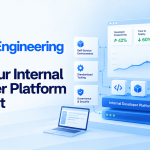


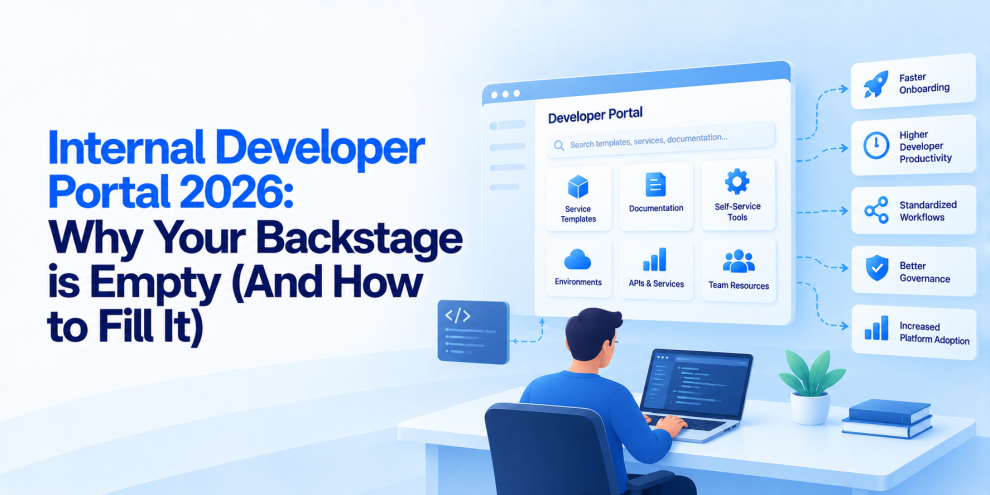

An internal developer portal is supposed to make engineering easier. Developers should be able to discover services, understand dependencies, find documentation, create new projects, access approved infrastructure, and deploy software without navigating a maze of internal tools. Yet many organizations invest in platforms such as Backstage, launch a polished portal, and discover months later that developers still rely on Slack messages, outdated wiki pages, personal scripts, and colleagues who know where everything is hidden. The portal exists, but nobody wants to use it. The problem usually is not Backstage itself. It is the assumption that installing a developer portal automatically creates a better developer experience. A portal without reliable data, useful workflows, clear ownership, and developer adoption is just another internal website to maintain.
Why Internal Developer Portals Become Empty
Backstage provides a foundation for building an internal developer portal, including a software catalog, extensible plugins, and a framework for presenting engineering resources in one place. But the framework does not automatically populate itself with accurate information or solve the operational problems behind the interface. Teams must connect repositories, services, APIs, infrastructure, documentation, CI/CD systems, and ownership metadata. If those integrations are incomplete, the portal quickly becomes inconsistent. Some services appear in the catalog, others are missing, and existing entries may point to outdated repositories or abandoned documentation. Developers learn that they cannot trust the information and return to their previous workflows. An empty portal is not necessarily one with no content. It is one that fails to answer the questions developers actually need answered.
Start With Developer Problems, Not Plugins
A common implementation mistake is beginning with a list of plugins rather than a list of developer problems. Teams install integrations for source control, Kubernetes, CI/CD, monitoring, and documentation because those integrations are available. The result can be a technically impressive portal that does not make common engineering tasks any easier. A more effective approach starts by identifying recurring friction. How long does it take a new engineer to run a service locally? Can developers identify who owns a production API? How difficult is it to create a repository that meets security standards? Can someone find the deployment status of a service without asking another team? Which approvals repeatedly delay delivery? These questions help establish which capabilities the portal should provide first. The goal is not to maximize the number of integrations. It is to reduce the time and effort required to complete meaningful engineering work.
Treat the Software Catalog as the Foundation
The software catalog is one of Backstage’s central capabilities, but it becomes useful only when its data is accurate and maintained. A service entry should provide enough information for an engineer to understand what the service does, who owns it, where its source code lives, how it is deployed, which APIs it exposes, and what other systems depend on it. Catalog metadata should not become a one-time documentation exercise. Service ownership changes, repositories move, APIs evolve, and teams are reorganized. If the catalog does not reflect those changes, developers eventually stop trusting it. Organizations should automate catalog ingestion wherever practical, define required metadata, assign ownership for corrections, and detect stale entries. The catalog should be treated as operational infrastructure rather than a static directory.
Make Ownership Explicit
One of the most frustrating engineering experiences is discovering a broken service or undocumented API and having no idea who is responsible for it. A developer portal should make ownership visible at the point where engineers need it. Services, APIs, libraries, infrastructure components, and critical dependencies should have identifiable owners or responsible teams. Ownership metadata should also connect to escalation paths, operational documentation, and support processes where appropriate. A catalog entry that identifies a team but provides no reliable way to contact it only solves part of the problem. Clear ownership improves incident response, change coordination, security remediation, and routine development. It also helps platform teams identify orphaned services and dependencies that have become organizational risks.
Build Golden Paths That Developers Actually Want
A golden path is a supported way to complete a common engineering task using approved tools, sensible defaults, and established practices. In a developer portal, this might mean creating a service with a standard repository structure, CI/CD workflow, observability configuration, security controls, and deployment setup. Golden paths can reduce repetitive work while helping teams follow organizational standards. The mistake is making them rigid templates that cannot accommodate legitimate differences between products. If the approved path is harder to use than a developer’s existing script, developers will work around it. Effective golden paths should remove decisions that do not create meaningful differentiation while preserving flexibility where teams genuinely need it. They should also be maintained as real products, with documentation, testing, versioning, feedback, and clear ownership.
Connect the Portal to the Delivery Workflow
A portal that only displays information offers limited value if developers must leave it to complete every important task. Internal developer portals become more useful when they connect discovery with action. Depending on the organization’s architecture and security requirements, developers might use the portal to create a service, initiate a standard pipeline, inspect deployment status, find operational dashboards, request an approved environment, or access service-specific runbooks. These workflows should integrate with existing systems rather than attempting to replace every tool. Backstage can serve as a common entry point, while source control, CI/CD, cloud platforms, ticketing systems, and observability tools continue to perform their specialized roles. The portal’s job is to make the path between those systems clearer and more consistent.
Documentation Needs to Stay Close to the Code
Documentation becomes unreliable when maintaining it is treated as a separate administrative task. Service descriptions, setup instructions, API references, architecture decisions, and runbooks can become outdated as the underlying software changes. A developer portal should make documentation easy to discover and, where practical, keep it close to the repositories and workflows it describes. Teams can establish ownership, review requirements, automated checks, and links to authoritative sources. The objective is not to copy every document into a single interface. It is to make the right information discoverable and ensure that developers can identify whether it is current. Documentation quality should be measured by whether it helps engineers complete tasks, not simply by how many pages exist.
Integration Quality Matters More Than Integration Count
Backstage’s extensibility makes it possible to connect many engineering systems, but each integration introduces maintenance requirements. APIs change, credentials expire, permissions evolve, plugins require upgrades, and upstream systems may become unavailable. A portal with dozens of unreliable integrations can be less useful than one with a small set of dependable capabilities. Platform teams should prioritize integrations based on actual developer needs and operational value. Source control, service ownership, deployment visibility, documentation, and service health may provide a strong starting point. Additional integrations can follow when there is evidence that developers need them. Every integration should have an owner, a defined purpose, appropriate access controls, and a plan for handling failures.
Security Must Be Built Into the Portal
An internal developer portal may expose sensitive architectural information, repository links, deployment details, infrastructure metadata, and operational workflows. Depending on the integrations enabled, it may also allow users to initiate actions in connected systems. Authentication and authorization therefore need to be designed carefully. Access to a portal should not automatically grant access to every resource linked from it, and a user who can view a service should not necessarily be able to deploy or modify it. Connected systems should continue enforcing their own permissions. Secrets should not be embedded in catalog metadata or exposed through plugin responses, and administrative capabilities should be restricted to appropriate roles. Organizations should also review audit logging, credential management, plugin permissions, and the handling of sensitive operational information.
Measure Adoption, Not Just Portal Traffic
A portal can receive thousands of visits without making engineering more efficient. Page views and login counts are useful operational signals, but they do not prove that the platform is reducing friction. Better measures connect portal usage to developer outcomes. Teams can track the time required to create a new service, the proportion of services with valid ownership metadata, the success rate of golden-path workflows, the frequency of failed integrations, the age of documentation, and the time required to locate operational information. Developer feedback is equally important. Short interviews, task-based usability tests, and support-ticket analysis can reveal why engineers avoid particular features. The most useful measurement question is not whether developers opened the portal. It is whether the portal helped them finish work more easily and reliably.
Avoid Turning the Portal Into Another Bottleneck
Centralizing engineering workflows can create consistency, but it can also create a new dependency on the platform team. If every template change, access request, integration failure, or configuration update requires a manual intervention from a small central group, the portal may simply move the bottleneck rather than remove it. Platform teams should automate routine operations, publish clear service-level expectations for platform capabilities, and establish self-service workflows with appropriate guardrails. They should also make it easy to report missing information and request improvements. The goal is to create a platform that enables product teams to work independently within agreed standards, not one that requires the platform team to approve every routine decision.
AI Can Improve Developer Portals, but It Cannot Repair Bad Foundations
AI-assisted search and engineering assistants can make developer portals more useful by helping engineers find documentation, understand service relationships, locate runbooks, and navigate unfamiliar codebases. However, AI features are only as dependable as the information and permissions behind them. If catalog ownership is outdated, documentation is stale, or access boundaries are unclear, a conversational interface can produce misleading answers more quickly. AI features should retrieve information from trusted sources, respect existing access controls, indicate source references where appropriate, and make uncertainty visible. They should not invent ownership, infer authorization, or execute sensitive operations without explicit policy controls. The strongest approach is to establish reliable catalog data, documentation, and integrations first, then introduce AI where it solves a demonstrated discovery or workflow problem.
A Practical Roadmap for Filling an Empty Backstage
The first step is to audit the current developer experience. Identify the most common tasks developers struggle with, determine where information is missing, and examine which portal capabilities are actually being used. Next, establish a reliable service catalog by connecting repositories and defining mandatory ownership and metadata standards. Then build one or two golden paths around high-frequency tasks, such as creating a new service or accessing its deployment and operational information. Integrate only the systems needed to make those workflows complete, and add automated validation to keep metadata and documentation current. Finally, measure task completion, reliability, adoption, and developer feedback. Expand the portal based on evidence rather than adding plugins simply because they are available.
Where Engineering Partners Fit
Building a useful internal developer portal requires more than frontend customization. It involves platform engineering, service catalog design, CI/CD integration, cloud infrastructure, identity and access management, documentation workflows, observability, and change management. Engineering partners such as GeekyAnts support organizations in connecting these layers and designing developer experiences around real engineering workflows. The focus should be on making the portal a reliable interface to the engineering platform, with useful self-service capabilities and clear governance, rather than delivering a visually polished dashboard that developers rarely use.
The Portal Is a Product, Not a Project
An internal developer portal rarely becomes successful at launch. Its value emerges through ongoing improvements to catalog accuracy, workflow design, integrations, documentation, reliability, and developer adoption. Platform teams need to treat developers as users, prioritize feedback, measure outcomes, and maintain the portal with the same discipline applied to customer-facing products. Backstage provides a foundation, but the organization must supply the data, ownership, workflows, and operating model that make it valuable. The best internal developer portal is not the one with the most plugins. It is the one that helps developers find what they need, do what they need, and move forward without waiting for someone to explain how the organization works.
FAQs
What is an internal developer portal?
An internal developer portal provides a central interface for discovering software components, accessing engineering documentation, understanding ownership, and using approved development and deployment workflows.
Why is my Backstage portal not being adopted?
Common reasons include incomplete catalog data, outdated documentation, missing ownership information, unreliable integrations, confusing workflows, and a lack of features that solve developers’ everyday problems.
How do you populate a Backstage software catalog?
Connect source repositories and relevant engineering systems, define required metadata, establish ownership, automate catalog ingestion where practical, and continuously validate entries for accuracy.
What are golden paths in platform engineering?
Golden paths are supported workflows that provide developers with approved defaults, reusable templates, and automated practices for common tasks such as creating, testing, securing, and deploying services.
How should organizations measure internal developer portal success?
Measure task completion time, golden-path success rates, catalog accuracy, integration reliability, developer feedback, documentation freshness, and improvements in developer experience rather than relying only on page views.
Can AI improve an internal developer portal?
AI can improve search, documentation discovery, and service navigation, provided it uses reliable sources, respects permissions, and makes uncertainty visible.
Is Backstage enough to build an internal developer platform?
Backstage provides a portal framework, but a complete internal developer platform also requires reliable integrations, automated workflows, governance, security controls, operational ownership, and ongoing maintenance.
How can platform teams improve Backstage adoption?
Start with real developer pain points, establish trustworthy catalog data, build useful golden paths, integrate essential systems, collect feedback, and prioritize improvements based on measurable outcomes.
For more, visit our homepage!



Add Comment