







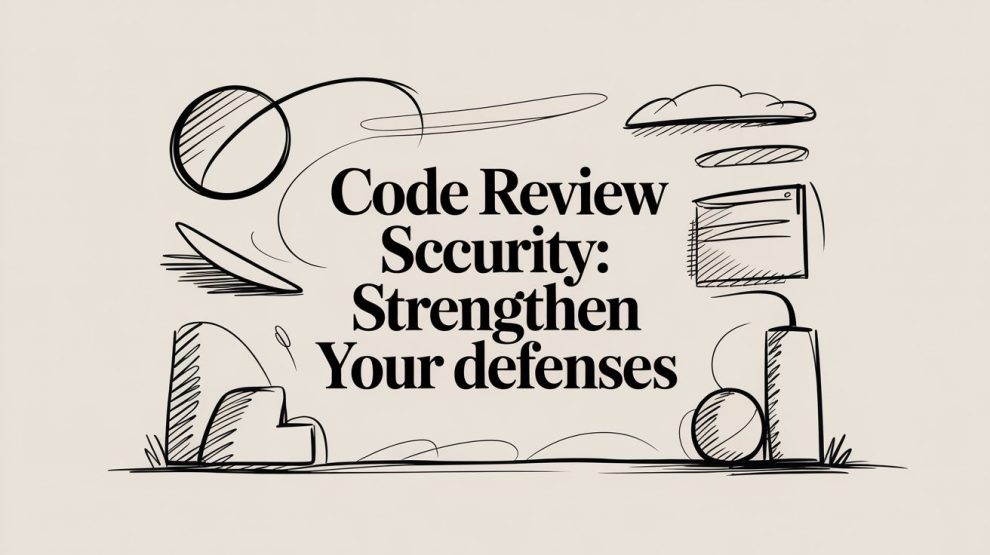

Relying on your developers' peer reviews to catch security flaws is a dangerous assumption. I’ve seen it time and again: brilliant engineers, the kind who can architect complex systems in their sleep, consistently miss critical vulnerabilities during a standard code review. It’s not a knock on their skill; it’s just that the breakneck speed of modern CI/CD pipelines creates a gap where security often falls through.
Why Manual Code Reviews Alone Aren't Enough

Many teams believe a second pair of eyes on the code is a sufficient security net. And for spotting logic errors, improving readability, or enforcing style guides, they’re absolutely right. Peer reviews are fantastic for that. But when it comes to sophisticated security threats, they become an unreliable defense.
The issue really boils down to a fundamental difference in mindset. A developer’s job is to build things that work. A security professional’s job is to figure out all the creative ways those things can be broken. Expecting every developer to be a master of both disciplines just isn't realistic.
The Human Element of Security Gaps
Think about the sheer cognitive load on a developer doing a code review. They're trying to grasp the business logic, hunt for bugs, check for performance issues, and ensure the code is maintainable—all while meeting a tight deadline. Tacking on "find subtle security flaws" to that list is asking for trouble. It’s an environment where things are bound to slip through the cracks.
Don't just take my word for it. A fascinating study asked 30 professional web developers to review a small application that had seven intentional vulnerabilities baked in. The results were sobering: not a single developer found all seven flaws. These weren't obscure, academic vulnerabilities either; they included common culprits like Cross-Site Scripting (XSS) and SQL Injection. You can dig into the full findings on manual review accuracy yourself.
This confirms what many of us in the security field have known for years: relying solely on human reviewers for security isn't a strategy—it's a gamble. Even seasoned pros miss things.
This isn't an indictment of developers. It's a flaw in a process that hasn't kept up with the complexity of modern threats. Acknowledging this is the first step toward better managing source code effectively.
Common Vulnerabilities Missed in Manual Reviews
From my experience, certain types of vulnerabilities are notoriously good at hiding from the human eye. They might be buried in complex data flows, depend on a server configuration that isn't even in the repo, or only show up under weird edge-case conditions.
To give you a clearer picture, here’s a look at some of the usual suspects that evade manual detection.
Common Vulnerabilities Missed in Manual Code Reviews
| Vulnerability Type (OWASP) | Potential Business Impact | Reason for Missed Detection |
|---|---|---|
| A01 Broken Access Control | Unauthorized access to data or functionality, privilege escalation. | Requires a holistic understanding of user roles and application state that is hard to piece together from isolated code changes. |
| A03 Injection (SQL, NoSQL, OS) | Data theft, data corruption, complete system takeover. | Flaws are often subtle, buried in complex string concatenations or ORM queries that look benign at first glance. |
| A05 Security Misconfiguration | System compromise, data exposure, service disruption. | Often resides in configuration files (e.g., verbose error messages enabled) or cloud settings, which are not always part of the code review scope. |
| A06 Vulnerable Components | Exploitation via known flaws in third-party libraries or frameworks. | Impossible to detect by reading application code. Reviewers have no visibility into the deep dependency tree and its known vulnerabilities. |
As the table shows, these aren't minor issues. They're the kinds of things that lead to major breaches. This is exactly why we need a more systematic, tool-assisted approach to secure code review—something we'll dive into next.
Building a Repeatable Secure Code Review Framework
Let's be honest: inconsistent, ad-hoc code reviews are just security theater. They create a dangerous illusion of safety while letting critical vulnerabilities slip straight into production. If you want to build a real defense, you have to graduate from that unpredictable chaos to a structured, repeatable process. This means sitting down and creating a formal framework for your code review security program.
The first thing you need to figure out is what you're trying to achieve. Without clear, measurable goals, your program has no direction, and you'll have no way to know if it's even working. Are you trying to check a box for compliance, like PCI DSS or HIPAA? Or is the goal more concrete, like cutting the number of high-severity vulnerabilities found in production by 50% in the next six months?
If you don't have a target, you're just going through the motions. Your goals will dictate everything else, from the people involved to the metrics you end up tracking.
Defining Roles and Responsibilities
Okay, you have your goals. Now, who’s actually going to do the work? Ambiguity here is a recipe for disaster, where everyone assumes someone else is handling the security check. You need to get specific about who does what.
This isn’t about adding red tape; it's about creating ownership. From my experience, even a simple role-based model can work wonders for accountability. Consider a structure like this:
- Contributor: The developer who wrote the code and opened the pull request.
- Reviewer: At least one other developer who gives the code a general once-over for correctness, style, and basic logic.
- Security Champion: A developer with security training (or someone from the AppSec team) who does a targeted security review, especially for high-risk changes.
- Approver: A tech lead or senior engineer who gives the final sign-off to merge. They are the ultimate gatekeeper.
Clearly defining roles turns a vague "someone should look at this" into a concrete "Alice will perform the security review, and Bob is the final approver." This simple shift dramatically improves accountability and ensures no change gets a free pass.
Getting your team to adopt this kind of security-first thinking is crucial. We dive deeper into building that culture in our guide on Security in DevOps.
Creating Practical Reviewer Checklists
With roles sorted out, you need to arm your reviewers with the right guidance. A generic company style guide isn't a security checklist. You need a practical, scannable document that points reviewers toward specific, high-impact security flaws.
Don't try to create a 100-point checklist nobody will ever read. That’s a waste of time. Instead, focus on the biggest threats to your application. A fantastic starting point is to build your checklist around common vulnerability patterns, like the OWASP Top 10.
A lightweight but effective security checklist might include prompts like these:
- Injection: Are we validating and sanitizing all user input from headers, parameters, and request bodies? Are we using parameterized queries everywhere instead of building SQL strings?
- Authentication & Session Management: How are session tokens generated? Are they secure and random enough? Does this change touch password resets or MFA logic?
- Access Control: Does this code correctly check a user's role or permissions before performing an action? Is there any way for a regular user to hit an admin-only endpoint?
- Sensitive Data Exposure: Is any sensitive data (passwords, PII, keys) being written to logs? Is all data properly encrypted both in transit and at rest?
- Secrets Management: Are there any hardcoded credentials, API keys, or tokens in the code? Secrets must come from a vault or secure environment variables, period.
This kind of checklist gives your human reviewers a solid starting point for their code review security analysis. It forces a shift in focus from minor style issues to the kind of vulnerabilities that can genuinely hurt the business, making the whole process infinitely more valuable.
Weaving Automated Security into Your Pull Requests
Moving to a structured security review process is a huge win, but let's be honest: relying solely on human reviewers is a recipe for bottlenecks. No matter how skilled your team is, they can't manually check every line of code without grinding development to a halt. This is where automation becomes your secret weapon for scaling code review security.
The idea is to embed security scanning directly into your version control system, making it a natural, almost invisible part of every developer's workflow. We're talking about a true "shift-left" approach—catching security issues the moment code is written, not weeks later in a pre-deployment panic. By running automated tools on every Pull Request (PR), you give developers instant, actionable feedback before a human reviewer even lays eyes on the code. This catches the low-hanging fruit and frees up your senior engineers to focus on the tricky stuff, like complex business logic flaws.
Before you can effectively layer in automation, you need a solid foundation. It all comes down to having a repeatable process built on clear goals, well-defined roles, and practical checklists for your reviewers.

Once you have that clarity, you're ready to bring in the bots.
The Automated Scanning Toolkit
Automating your PR security checks really comes down to a few key types of tools. Think of them as different specialists on your automated review team, each with a unique job to do.
Static Application Security Testing (SAST): These are your white-box testers. They read your source code, bytecode, or binaries without ever running the application, hunting for known vulnerability patterns. A good SAST tool is fantastic at sniffing out common bugs like SQL injection, cross-site scripting (XSS), and buffer overflows right in the code.
Software Composition Analysis (SCA): Modern applications are built on a mountain of open-source libraries. SCA tools are designed to scan these dependencies and flag any known vulnerabilities lurking in that third-party code. Since a huge percentage of any modern codebase is open source, running without an SCA tool is like flying blind.
Secret Scanning: This one is non-negotiable. Secret scanners are laser-focused on finding hardcoded credentials—API keys, database passwords, private tokens—in your code. Accidentally committing a secret, even to a private repository, is a critical risk. These tools stop that from ever happening.
Putting this trio of tools to work in your PR pipeline creates a surprisingly strong automated defense right out of the gate.
Making Automation a Reality in Your Workflow
Okay, so the theory sounds good, but what does this actually look like in your day-to-day? Most teams I've worked with implement this through their CI/CD pipeline, using platforms like GitHub Actions or GitLab CI/CD. The workflow is simple: a developer opens a pull request, and the security scans kick off automatically.
Imagine a developer pushes a change. A GitHub Action immediately fires up and runs a SAST tool like SonarQube. If the tool spots a potential SQL injection flaw, the action can post a comment directly on the PR, highlighting the exact line of code and even linking to remediation advice.
At the same time, another job in the workflow could run an SCA tool like Snyk or Dependabot. If it finds a critical vulnerability in a newly added library, it can block the PR from being merged until the dependency is patched or updated.
This immediate feedback loop is what changes the game. Instead of waiting days for a manual security review, developers find out about potential issues in minutes. Code review security stops being a frustrating gate and becomes a real-time teaching moment.
The data backs this up. One study of over 373,000 code reviews found that a tiny 1.8% of review comments mentioned security. And of those, 62% were about vulnerable third-party dependencies, which makes sense when you learn that 84% of codebases contain open-source vulnerabilities. The full research on security feedback in code reviews shows just how big the gap is—a gap that automation is perfectly suited to fill.
A Practical Example to Get You Started
Let's look at a simplified GitHub Actions workflow. By placing a YAML file in your .github/workflows directory, you can configure these checks to run on every pull request that targets your main branch.
Sample GitHub Action Snippet
name: Security Scan on PR
on:
pull_request:
branches: [ main ]
jobs:
sast_scan:
runs-on: ubuntu-latest
steps:
– name: Checkout code
uses: actions/checkout@v3
– name: SonarQube Scan
uses: sonarsource/sonarqube-scan-action@master
env:
SONAR_TOKEN: ${{ secrets.SONAR_TOKEN }}
SONAR_HOST_URL: ${{ secrets.SONAR_HOST_URL }}
This is just a starting point, of course, but it shows how simple it can be to integrate a powerful SAST tool. You'd set up similar steps for your SCA and secret scanning tools, building a pipeline that vets every change automatically. This isn't just a nice-to-have; it's a core practice of modern DevOps automated testing, where quality and security are built into the development lifecycle from the very beginning.
Elevating the Human Element of Security Reviews
Once you get automated tooling running in your pull requests, the whole game of code review security changes. The bots become your front line, catching all the common mistakes, known vulnerabilities in dependencies, and stray secrets. This is a massive win because it frees up your human reviewers from that tedious, repetitive work.
Suddenly, your people can focus on what they do best: thinking critically. Human oversight is where you’ll find the bugs that automated tools completely miss. We're talking about complex, context-heavy flaws buried in business logic, subtle architectural mistakes, or multi-step attack chains that a static analyzer would never see.
But this shift doesn't happen on its own. You have to intentionally guide your reviewers toward these higher-value activities. The first place to start? The information they get in every single pull request.
Crafting a Better Pull Request Template
A blank PR description box is an open invitation for a lazy, one-line summary like "bug fix." To get better reviews, you have to demand better context from the developer submitting the code. A well-designed PR template forces them to pause and explain the "why" behind their change, including any security implications.
Don't just give them a generic template. Make it an active checklist that requires specific answers. This gives the reviewer the context they need to do a real security analysis right from the start.
Here’s a practical markdown template you can drop into your repository as .github/pull_request_template.md:
What is the purpose of this change?
(Provide a clear, concise summary of the problem this PR solves.)
How was this change implemented?
(Describe the technical approach and key decisions made.)
Security Considerations
- Does this change involve user authentication or authorization? (If yes, explain how roles and permissions are handled.)
- Does this change handle or store sensitive user data (PII)? (If yes, describe the data protection measures, e.g., encryption, masking.)
- Does this change introduce new external dependencies? (If yes, explain why and what they are.)
- Does this change modify any data validation or sanitization logic? (If yes, detail the changes.)
This simple structure immediately flags high-risk changes. A "yes" to any of those security questions is a clear signal for the reviewer to slow down and dig in deeper.
From Vague Criticism to Constructive Feedback
How a reviewer communicates their findings is just as important as what they find. A comment like "this is insecure" is a dead end. It’s frustrating for the developer and does absolutely nothing to prevent the same mistake from happening again. Effective code review security is about teaching, not just pointing out flaws.
Your goal should be to provide actionable, educational feedback that helps your developers improve. A great comment explains the risk, provides a specific solution, and even points to a resource for deeper learning, like an OWASP cheat sheet or your own internal coding standards.
The real bottleneck in many organizations isn't finding flaws, but getting them fixed. Recent benchmarks show a mere 54% of major code changes get a formal security review, largely because 81% of reviews take over a day. A hybrid approach that combines architectural reviews with manual validation slashes false positives by 60%, allowing developers to focus on reachable exploits. For more details, you can explore the full data on software supply chain security.
Good comments accelerate this entire process. Let’s look at what separates a bad comment from a good one.
From Ineffective to Actionable Security Review Comments
The quality of review comments directly impacts your team's velocity and security culture. Vague, blocking comments create friction, whereas specific, educational feedback builds skills and trust.
| Ineffective Comment (Vague & Blocking) | Effective Comment (Specific & Educational) |
|---|---|
| "This SQL query is vulnerable to injection." | "This query concatenates user input directly, creating a risk for SQL Injection. Please refactor this to use a parameterized query (prepared statement) to prevent this. You can find a good example in our guide to SQL Injection Prevention." |
| "Don't log this, it's sensitive." | "I noticed we're logging the entire user object here. This exposes Personally Identifiable Information (PII) like the user's email address in our logs, which is a compliance risk. Can we either filter the object to only log the userID or remove this log line entirely?" |
| "Unsafe file upload." | "This file upload logic checks the Content-Type header, but this can be easily spoofed. For better security, we should validate the file type by its actual content (magic numbers) on the server-side. Let's add a check to ensure we're only processing approved file types like JPEG or PNG." |
By investing in better PR templates and coaching your team on how to give constructive feedback, you transform the human side of code review. It stops being a simple bug hunt and becomes a powerful engine for building a more secure engineering culture.
Measuring Success and Driving Continuous Improvement

If you're not measuring your secure code review process, you're flying blind. A mature code review security program needs to go way beyond just counting the number of PRs reviewed. To really see if you're making a difference—and to prove the program's value—you have to track Key Performance Indicators (KPIs) that directly map to your security posture.
Chasing vanity metrics like "reviews completed" can give you a false sense of security. The goal is to collect data that tells a compelling story about risk reduction and process efficiency. This is what separates a check-the-box activity from a program that genuinely improves your security.
Core Metrics That Actually Matter
You don't need a massive dashboard to get started. Just a few high-impact metrics can give you a clear signal on the health of your review process. These data points help you spot trends, pinpoint team-specific struggles, and justify the program's existence to leadership.
Vulnerability Escape Rate: This is the big one. It tracks the percentage of bugs found in production that should have been caught during a code review. A high escape rate is a massive red flag, telling you that your current process, whether automated or manual, is missing things.
Mean Time to Remediate (MTTR): Once a security flaw is flagged in a pull request, how long does it take a developer to fix it? A low MTTR for critical issues is a great sign; it means your feedback is clear and developers can act on it quickly. If MTTR is high, it might mean your review comments are confusing, developers need more training, or your tools are spitting out too many false positives.
Automated Scan False Positive Rate: Nothing kills developer buy-in faster than a noisy scanner. If your SAST or DAST tools are constantly crying wolf, developers will learn to ignore them. Tracking how often reviewers mark findings as false positives helps you fine-tune your tools and keep developers engaged.
These three metrics give you a solid foundation. They change the conversation from, "Did we do the reviews?" to "Are our reviews actually stopping vulnerabilities?" It's a crucial shift in mindset.
The real power of a data-driven security program is its ability to build a business case. When you can show a direct line between a lower vulnerability escape rate and reduced costs for post-deployment fixes, security becomes a value-add, not just a cost center. Fixing a bug in production can be up to 60 times more expensive than catching it in development.
Hard data like this is what turns a security team into a strategic partner for the business.
Turning Data Into Actionable Insights
Collecting data is just step one. The magic happens when you use that data to make tangible improvements. By analyzing your KPIs over time, you can spot patterns that point to specific, solvable problems. This is where your code review security program becomes a strategic lever.
For example, you might notice one team consistently struggles with injection flaws. That's not a reason to point fingers; it's a clear signal that they need targeted support. You can schedule a dedicated workshop on preventing SQL injection or beef up your reviewer checklist with more explicit checks for that entire vulnerability class.
Or let's say your overall MTTR is creeping up. By digging into the numbers, you might find the problem is isolated to a single legacy service. That insight is gold. It helps you build a business case for refactoring that risky code or simply allocating more senior reviewer attention to its PRs.
Example Action Plan Based on Metrics
| Metric Observation | Potential Root Cause | Actionable Improvement |
|---|---|---|
| High Vulnerability Escape Rate for access control issues. | Reviewers don't have enough context on user roles and permissions. | Update the PR template to require a "Security Impact" section explaining any authorization logic changes. |
| Increasing MTTR for dependency-related vulnerabilities. | Developers aren't sure how to upgrade packages safely without breaking things. | Create a clear, documented process for handling vulnerable dependencies and run a training session on using your SCA tool effectively. |
| High False Positive Rate from a new SAST rule. | The rule is too generic for your specific codebase or framework. | Work with the security team to customize the rule, adding suppressions for known-safe patterns unique to your code. |
By regularly checking these metrics and taking targeted action, you build a powerful feedback loop. Your security review process stops being just about catching bugs and starts actively making your engineering organization smarter, safer, and more efficient.
Common Questions (and Real-World Answers) on Secure Code Reviews
As you start embedding security into your code review process, you're going to hit some tricky situations. It’s inevitable. Getting ahead of these common questions is the best way to keep your team on board and the momentum going. Let’s tackle some of the ones I hear most often from engineering leaders.
What Do We Do in an Emergency? Can We Skip the Review Process?
This is the classic "break-glass" problem. Production is on fire, every minute of downtime is costing you, and you need to push a fix yesterday. Waiting hours for a formal security review just isn't an option.
The solution isn't to just let developers merge straight to main. That's a recipe for disaster. Instead, you need a well-defined and audited exception process. Think of it as an emergency hotfix protocol.
Here’s what that should look like:
- Get explicit sign-off: A senior leader—think VP of Engineering or CTO—has to approve the bypass. This puts a name to the decision and creates real accountability.
- Trigger automatic alerts: The moment that bypass happens, your security team and engineering leadership need an automated notification. No secrets.
- Conduct an immediate post-mortem: As soon as the immediate crisis is over, that emergency change must go through the full security review it skipped. Any new issues discovered have to be fixed in a follow-up PR right away.
A "break-glass" procedure isn't a get-out-of-jail-free card. It's a high-interest loan on your security posture. You have to pay it back immediately with a thorough post-incident review to make sure the quick fix didn't introduce a new, hidden vulnerability.
What's the Best Way to Actually Train Our Developers?
Forget the one-off, "death by PowerPoint" annual security training. Most of it is forgotten within a week. The only training that really sticks is continuous, contextual, and part of a developer's daily workflow.
Your best training tool is the pull request itself. When a reviewer or a SAST tool flags a vulnerability, the comment shouldn't just say "XSS here." It should explain why it's a risk and link directly to a wiki or guide on how to fix it properly. Every PR becomes a micro-lesson.
From there, you can layer on more structured training that developers won't hate:
- Make it a game: Platforms like Secure Code Warrior or HackEDU turn learning into a competition with hands-on coding challenges.
- Run informal "lunch and learns": Have a security champion or senior dev walk the team through a recent, real-world vulnerability—how it was found and how it was fixed.
- Start with the basics: Focus initial training efforts on the OWASP Top 10. These are the most common and dangerous risks, so you get the biggest bang for your buck.
How Much Time Should We Budget for Security Reviews?
Everyone wants a simple number here, but the honest answer is, "it depends." The time needed for a good security review is completely dependent on the change's size, complexity, and risk profile. A typo fix in a README file? Seconds. A change to your authentication logic? That could demand hours of focused attention.
Don't try to apply a one-size-fits-all time budget. It'll only frustrate your team.
A better approach is to build a risk-based triage system. Small, low-risk changes might just need to pass the automated scans and get a quick once-over from a peer. But any PR that touches sensitive code—think payment forms, user identity, or encryption keys—should automatically flag a mandatory, deep-dive review from one of your security champions.
Interestingly, your tech stack plays a big role here. Research from Google on their adoption of Rust found that using memory-safe languages can cut review time by as much as 25% because reviewers don't have to spend mental energy hunting for complex memory bugs.
When Do We Need to Hire a Dedicated Security Engineer?
There's no magic headcount number that tells you it's time. The real signal is when your security champions program starts to feel stretched thin. If your best developers—the ones you've designated as part-time security advisors—are consistently spending more than 20-25% of their week on security tasks, it's a strong sign you need dedicated help.
Another tell-tale sign is when you have multiple product teams running in parallel and you can't keep security standards consistent anymore. The informal methods that worked for a small team just don't scale.
When you do hire a dedicated Application Security (AppSec) engineer, their job isn't to be a gatekeeper who reviews every line of code. It's to be a force multiplier. They should be building and scaling the entire security program: fine-tuning the automated tools, training your security champions, developing secure-by-default libraries, and focusing their own review time on high-stakes architectural decisions.
At DevOps Connect Hub, we focus on giving you the strategies and real-world insights to build secure, high-performing engineering organizations. Explore our guides to make evidence-based decisions for your growing business.



Add Comment